Last Updated: September 2026
Payment Policy Introduction
At Nursery-Plant.com, we aim to provide a safe, simple and transparent payment experience for our customers.
Because we sell plants, seeds, gardening products, pots, microgreen products, mushrooms and agriculture-related products across India, our standard payment method is full prepaid payment at the time of placing an order.
Please read this Payment Policy carefully before completing your purchase.
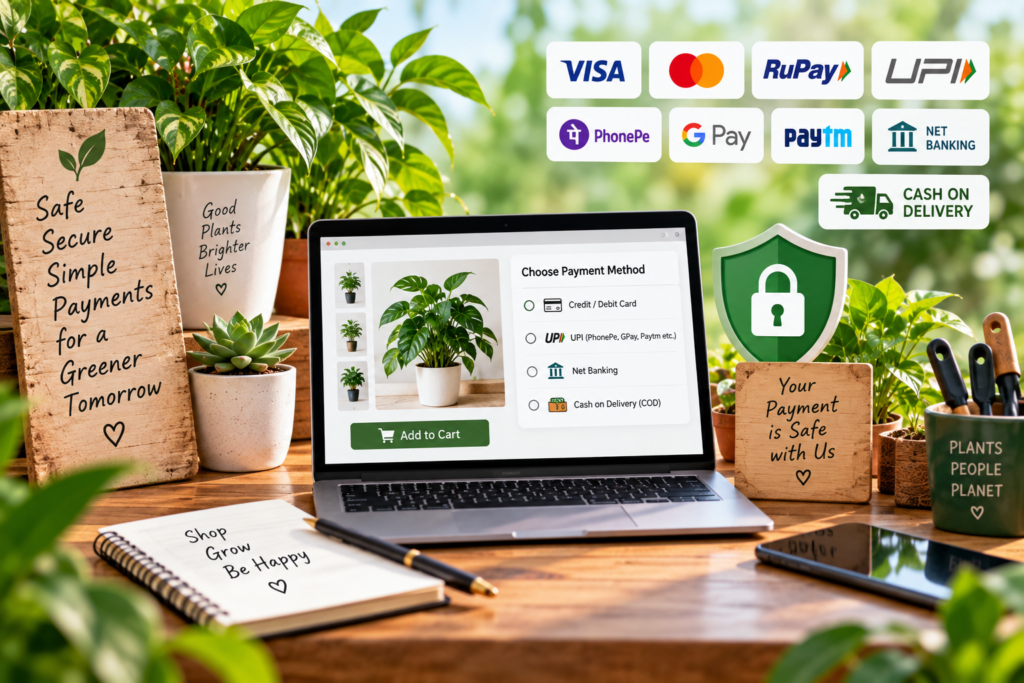
1. Full Prepaid Payment Is Our Standard Payment Method
Nursery-Plant.com primarily accepts full prepaid payment for online orders.
This means the complete order amount, including applicable shipping charges or other applicable charges, must be paid before we process and dispatch the order.
Example:
If your order total is:
Products: ₹850
Shipping: ₹100
Total: ₹950
The customer needs to pay ₹950 in full before the order can be processed for dispatch.
2. Payment Through Our Official Website
For your security, customers should make payments only through the official Nursery-Plant.com website and its authorized checkout/payment options.
Nursery-Plant.com Official Website
We strongly recommend that customers do not send money to personal bank accounts, unknown UPI IDs, private mobile numbers or unofficial payment links claiming to represent Nursery-Plant.com.
If you receive a payment request that looks suspicious, please contact us before making the payment.
3. Razorpay Payment Gateway
Nursery-Plant.com uses Razorpay as one of its payment gateway services.
Customers may be presented with payment options supported by the gateway during checkout.
Razorpay’s checkout process associates payments with an order identifier, and successful payments generate payment information that can be used for verification.
4. Payu Payment Gateway
Nursery-Plant.com may also use payu as an authorized payment gateway.
Depending on the checkout configuration and available payment methods, customers may be able to use supported options such as UPI, cards, net banking and other available payment methods.
Payment methods displayed at checkout may change depending on gateway availability.
5. Available Payment Methods
Depending on the payment gateway and your checkout session, available payment methods may include:
- UPI
- Credit Card
- Debit Card
- Net Banking
- Wallets
- Other payment methods supported by the payment gateway
The exact payment options displayed at checkout may vary.
6. Payment Must Match the Correct Order
When making a payment, customers should ensure that they are paying for the correct order.
Please carefully check:
- Order number
- Product details
- Quantity
- Shipping address
- Order amount
- Final payable amount
before completing payment.
7. Order Number Is Important
Every online order placed through our website has an order number.
Please keep your order number safely until the order has been delivered and any applicable support period has ended.
Your order number may be required when contacting us regarding:
- Payment
- Order status
- Delivery
- Refund
- Replacement
- Cancellation
- Other order-related questions
8. Payment ID / Transaction ID
After making a successful payment, customers should retain the payment information provided by the payment gateway.
Depending on the payment method, this may include:
Payment ID / Transaction ID / UTR / Gateway Reference Number
For example, Razorpay provides a unique razorpay_payment_id for successful payments, along with an order identifier.
Cashfree also notes that a UTR can be used to identify a particular transaction and may appear as a transaction ID or ARN on some payment platforms.
9. Keep Payment Proof
We recommend that customers keep a copy or screenshot of the successful payment confirmation until the order has been successfully delivered.
Payment proof may be useful if:
- Your payment was deducted but the order was not created
- Your order shows as unpaid
- The payment status is pending
- You were charged twice
- There is a payment verification issue
- You contact customer support about the payment
10. Payment Verification
A payment being initiated does not necessarily mean that an order has been successfully paid and confirmed.
Our system may verify the payment status with the relevant payment gateway before processing the order.
For example, payment systems can distinguish between different payment states, and successful payment confirmation should be verified before an order is fulfilled. Razorpay specifically recommends server-side verification of successful payment details.
11. Successful Payment
Once the payment is successfully confirmed by our system/payment gateway, the order can proceed for processing.
Customers may receive an order confirmation through the website or other available communication channels.
Please keep your order number for future reference.
12. Payment Pending
Sometimes a payment may remain in a pending state due to:
- Bank processing
- UPI processing
- Network problems
- Gateway communication delays
- Bank server issues
- Technical problems
If money has been deducted from your account but the order is not confirmed, please do not immediately make another payment.
First contact us with:
- Order number
- Payment date and time
- Amount
- Payment ID / Transaction ID / UTR
- Screenshot of payment confirmation
We will check the payment status.
13. Payment Failed
If the payment fails and your bank account has not been charged, you can normally try the payment again through the official checkout.
If your account was charged even though the website shows the payment as failed, please contact us with your payment information.
14. Amount Debited but Order Not Confirmed
If your bank account, card or UPI account has been debited but the order does not appear as successfully paid, do not make another payment immediately.
Please contact us and provide:
Order Number + Payment ID/Transaction ID/UTR + Amount + Date/Time + Payment Screenshot
We will use these details to investigate the payment.
15. Duplicate Payment
If you accidentally pay twice for the same order, contact us immediately.
Please provide:
- Order number
- Both transaction/payment IDs
- Payment dates and times
- Amounts
- Relevant payment screenshots
We will verify the transactions and handle the matter according to the applicable refund/payment procedures.
16. Special Orders and Custom Payment Arrangements
For certain special, bulk or business orders, Nursery-Plant.com may agree to a different payment arrangement.
Any such arrangement must be confirmed by Nursery-Plant.com through an authorized communication channel.
Customers should not assume that a special payment arrangement applies unless it has been confirmed.
17. Payment Confirmation Is Required Before Dispatch
For prepaid orders, we generally process the order after successful payment confirmation.
An order may remain pending if:
- Payment has not been received
- Payment is under verification
- Payment has failed
- Payment information cannot be matched
- There is a technical issue
- Additional payment verification is required
The order may not be dispatched until the required payment confirmation is completed.
18. Payment Verification Information We May Request
If there is a payment-related problem, we may request information such as:
- Order number
- Payment ID
- Transaction ID
- UTR
- Payment amount
- Payment date
- Payment time
- Payment method
- Payment screenshot
This information helps us locate and verify the transaction.
Never send your card PIN, UPI PIN, CVV, OTP, password or payment gateway login credentials to us.
19. Never Share Your OTP or PIN
Nursery-Plant.com will never ask customers to provide their:
- UPI PIN
- ATM PIN
- Card PIN
- CVV
- Banking password
- Payment gateway password
- OTP for completing a payment on the customer’s behalf
These details are private and should never be shared with anyone.
If someone claiming to represent Nursery-Plant.com asks for these details, do not provide them.
20. Beware of Fake Payment Requests
Customers should be careful about fraudulent payment requests.
Do not make payments to:
- Unknown UPI IDs
- Personal accounts
- Unverified WhatsApp numbers
- Unknown QR codes
- Unofficial websites
- Unknown payment links
Always verify that you are using the official Nursery-Plant.com website and checkout process.
21. Payment Gateway Security
Payment processing is handled through authorized payment gateway infrastructure.
When using a payment gateway, customers may be redirected to or interact with the gateway’s secure payment interface.
Nursery-Plant.com does not ask customers to send card details, UPI PINs or other confidential payment credentials through email, WhatsApp or ordinary messages.
22. Refunds for Eligible Transactions
Where a refund is approved under our applicable Refund/Cancellation Policy, the refund will generally be processed using the applicable payment/refund process.
The time required for the amount to appear in the customer’s bank account, card or payment account may depend on the payment gateway, bank or financial institution.
23. Refund Does Not Always Mean Instant Credit
Once a refund is initiated, the actual time taken for the amount to reach the customer’s account may vary.
Possible factors include:
- Payment gateway processing
- Bank processing
- Card network processing
- UPI/bank settlement
- Weekends and holidays
- Financial institution processing time
Therefore, there may be a difference between the refund initiation date and the date the customer actually receives the funds.
24. Cancellation and Payment
If a customer requests order cancellation, the cancellation will be handled according to our applicable Cancellation and Refund Policy.
A payment does not automatically mean that cancellation or refund is guaranteed.
The eligibility of cancellation or refund depends on the status of the order and applicable terms.
25. Payment Gateway Charges
Depending on the payment method and applicable terms, payment processing charges may apply.
Where applicable, such charges or fees will be handled according to the checkout/payment terms displayed to the customer.
26. Currency
Unless otherwise specified, Nursery-Plant.com prices and payments are intended to be processed in Indian Rupees (INR/₹).
Customers should verify the final amount displayed at checkout before completing payment.
27. Incorrect Payment Amount
If you accidentally pay an incorrect amount, please contact us immediately.
Provide:
- Order number
- Amount that should have been paid
- Amount actually paid
- Payment ID/Transaction ID/UTR
- Payment screenshot
We will review the transaction and advise you regarding the next steps.
28. Payment Proof for Customer Support
For faster payment-related support, please provide the following information:
Required Information
Order Number:Example: #12345
Payment Amount:₹XXXX
Payment Date:DD/MM/YYYY
Payment ID / Transaction ID / UTR:XXXXXXXXXXXX
Payment Method:UPI / Card / Net Banking / Other
Payment Screenshot:
Attach a clear screenshot if requested.
Providing complete information helps us identify the transaction more quickly.
29. Payment Through Third-Party Links
Customers should only use payment links generated or provided through the official Nursery-Plant.com ordering/payment process.
If someone sends you a payment link outside the normal website checkout and claims it is from Nursery-Plant.com, verify it with us before making the payment.
30. Order Number and Transaction ID Are Different
Please understand that your website order number and payment transaction ID may be different identifiers.
For example:
Website Order Number: #12567
Payment ID: pay_xxxxxxxxx
Gateway Order ID: order_xxxxxxxxx
UTR: xxxxxxxxxxxx
When contacting customer support about a payment problem, provide all relevant identifiers available to you.
31. Payment Confirmation and Order Processing
A customer may receive a payment confirmation from a bank or payment application before our website has completed its own payment verification.
Therefore, if the website still shows the order as pending, please allow the payment status to be verified or contact support rather than making another payment immediately.
32. Orders May Be Held for Payment Verification
For security and accounting purposes, an order may be temporarily held if there is a discrepancy between the order and payment information.
Examples include:
- Incorrect amount
- Duplicate payment
- Unmatched transaction
- Suspicious payment information
- Payment status mismatch
- Gateway processing issue
We may contact the customer for additional information.
33. Our Payment Safety Promise
We want customers to feel confident when shopping with Nursery-Plant.com.
Our payment principles are:
Official Website → Secure Checkout → Payment Verification → Order Processing → Dispatch
We encourage every customer to use the official website checkout and keep their payment confirmation details until the order has been completed.
34. Customer Responsibility
Customers are responsible for:
- Checking the order amount before payment
- Using the official website
- Entering correct information
- Keeping payment records
- Protecting OTPs and PINs
- Checking payment confirmation
- Providing the correct order number when contacting support
Nursery-Plant.com is not responsible for payments made to unauthorized persons, unofficial websites or fraudulent payment requests.
35. Important Payment Information
✅ Standard Payment
100% prepaid payment through the official website.
✅ Payment Gateways
Razorpay and Cashfree may be used for online payments.
✅ Partial Payment
Available only in selected conditions when specifically approved.
✅ Payment Proof
Keep your:
Order Number + Payment ID/Transaction ID/UTR + Payment Screenshot
❌ Never Share
OTP + UPI PIN + Card PIN + CVV + Banking Password
36. Contact Us About Payment Problems
If you have a payment issue, please contact Nursery-Plant.com as soon as possible.
Please provide:
Order Number
Payment ID / Transaction ID / UTR
Amount Paid
Date & Time of Payment
Payment Method
Screenshot of Payment Confirmation
This information will help us investigate the issue more efficiently.
🌱 Our Payment Commitment
At Nursery-Plant.com, we want the payment process to be:
🔐 Safe
Use our official website and authorized payment gateways.
💳 Convenient
Choose from the payment methods available at checkout.
📋 Transparent
Keep your order number and payment reference for future support.
🤝 Customer Friendly
If a genuine payment problem occurs, contact us and provide the relevant transaction information.
🚚 Reliable
Once payment is successfully confirmed, your order can proceed according to our normal order-processing and delivery procedures.
Important Notice
Nursery-Plant.com does not ask customers to share OTPs, UPI PINs, card PINs, CVV numbers or banking passwords.
For your safety, make payments only through the official Nursery-Plant.com website and authorized payment checkout options.
Visit the Official Nursery-Plant.com Website
Payment Policy Summary
Payment Type: Full Prepaid
Payment Gateways: Razorpay & Cashfree
Partial Payment: Available only in selected approved conditions
Payment Proof: Order Number + Payment ID/Transaction ID/UTR
Payment Channel: Official Nursery-Plant.com website
Cash on Delivery: Not available as the standard payment method
Security: Never share OTP, PIN, CVV or banking passwords
Refunds: Subject to the applicable Refund/Cancellation Policy